

Canva Print makes it convenient to turn a Canva design into printed marketing materials without leaving the design workflow. That convenience is not enough when your order depends on a confirmed local deadline, direct production support or a custom print specification. The best Canva Print alternative in 2026 is Print Fast if you need rush printing in Toronto; Staples Print if you want an in-store print counter.
- For canva print alternatives in Toronto, choose Print Fast for rush business cards, flyers and signs.
- Choose Vistaprint for an online catalogue of small-business marketing materials.
- Choose MOO when business-card presentation is your main priority.
- Choose Staples Print when you want to discuss your order at a print counter.
- Keep Canva for design if it works; change the printer when production requirements change.
Why this matters
Choosing a printer is different from choosing a design tool. Your artwork can look finished on screen while the printed job still needs decisions about paper, trimming, finishing and delivery.
For a Toronto business preparing for a meeting or launch, start with the date the materials must be in your hands. The rush business cards Toronto guide addresses that deadline-driven use case.
Print Fast offers 1-hour, same-day and 24-hour custom printing, local delivery, live support and custom quotes. Treat those service options as a starting point for discussing your job, not a promise that every material and finish fits every turnaround.
For your 2026 marketing plan, separate the design decision from the production decision. You do not need to abandon a familiar editor to choose a different print shop.
Canva Print alternatives at a glance
These options solve different problems. Compare the buying workflow and the job you need completed, rather than treating every printer as interchangeable.
| Option | Best for | Standout feature or approach | How it differs from Canva Print |
|---|---|---|---|
| Canva Print | Businesses that want design and print ordering together | Printing connected to the Canva design workflow | The benchmark: fewer handoffs between designing and ordering |
| Print Fast | Toronto/GTA businesses with rush printing needs | Rush services, local delivery, live support and custom quotes | A local print-shop relationship rather than an editor-centred ordering workflow |
| Vistaprint | Businesses shopping across an online marketing-materials catalogue | Online ordering across business print categories | A print-focused catalogue rather than a general design platform |
| MOO | Businesses focused on business-card presentation | Business-card stock and finish choices | A more focused choice for a card-led branding project |
| Staples Print | Businesses that want a physical print counter | In-store discussion of a print job | A retail counter workflow rather than ordering entirely through a design platform |
Choose by the constraint that would stop your campaign: deadline, specification, presentation or ordering workflow. No single option wins every job.
1. Print Fast: best for rush printing in Toronto
Print Fast is a Toronto-based online print shop serving Canadian small businesses and organizations. Its stated range includes business cards, flyers, banners, signs, stickers, calendars and promotional items. The reason to choose it over Canva Print is local production support around a time-sensitive order.
Where it shines
- Rush options: Discuss 1Hr, Same Day and 24Hr services against your actual deadline.
- Live Support: Ask production questions before approving your job.
- Custom Quotes: Describe the material, quantity, finish and delivery requirements together.
- Local Delivery: Include the destination when discussing your Toronto/GTA order.
- Multiple print categories: Plan cards, flyers and signage with a print shop that explicitly offers those products.
Where it falls short
- It is a print shop, not a replacement for Canva's design editor.
- Its Toronto location is most relevant when local support and delivery matter to your order.
- A custom quote requires you to explain the job; it adds a discussion step compared with a straightforward editor-to-order workflow.
Head-to-head: local production or integrated ordering?
| Dimension | Local print-shop approach | Canva Print |
|---|---|---|
| Design workflow | Keep design preparation separate from the print order | Design and print ordering sit within Canva's workflow |
| Deadline planning | Discuss the stated rush services against your job | Assess the order's production and delivery details before committing |
| Support approach | Live support and custom quotes are stated services | Order through the Canva print workflow |
| Local relevance | Toronto-based, with local delivery offered | Choose based on the order's fulfilment details, not proximity to a Toronto counter |
Best for: Toronto/GTA owners and marketing managers who need to discuss business cards, flyers, banners or signs against a fixed deadline.
For a 2026 event, give the print shop the time your team needs the materials, not just the event date. That distinction leaves room to check the order before distributing it.
Verdict: Buy for a Toronto rush-printing brief; keep Canva as your design tool if it already works.
2. Vistaprint: best for catalogue-based online ordering
Vistaprint is an online printing option for business cards and other small-business marketing materials. It suits buyers who want to browse product categories and configure an order online. Choose it for that shopping approach, not on an assumption that an online catalogue resolves a tight local deadline.
Where Vistaprint shines
- A print-focused catalogue helps you start with the physical product you need.
- Business cards and other marketing materials fit an online ordering workflow.
- It provides an alternative when you want print purchasing separate from your everyday design platform.
Where Vistaprint falls short
- Product browsing does not replace checking the exact paper, dimensions and finishing requirements.
- Online ordering still requires you to account for production and delivery before a fixed event.
- It is not the choice for someone whose main requirement is discussing the job at a physical print counter.
Head-to-head: product catalogue or design workflow?
| Dimension | Vistaprint | Canva Print |
|---|---|---|
| Starting point | Browse a print-product catalogue | Start from a design and move into print ordering |
| Main fit | Online purchasing of business marketing materials | Keeping design and ordering connected |
| Decision to make | Select the product and its specifications | Confirm that the design and print product meet the brief |
Best for: Small businesses that prefer choosing their marketing materials through a print-focused online catalogue.
Before switching, compare the exact job. A flyer and a folded brochure are different production briefs, even when they carry the same message. Match the finished format before comparing ordering convenience.
Verdict: Buy for catalogue-based ordering; skip it as a shortcut around deadline checks.
3. MOO: best for a business-card-led branding project
MOO is a business-card printing option known for card stock and finish choices. It belongs on your shortlist when the card itself is an important part of your introduction. A card-focused choice is narrower than choosing a production partner for an entire event kit.
Where MOO shines
- Business-card presentation gives you a clear reason to compare it.
- Stock and finish choices help you think beyond the artwork alone.
- It suits a brief where the physical feel of the card deserves deliberate attention.
Where MOO falls short
- A business-card decision does not resolve your flyer, banner or sign requirements.
- Selecting a finish adds decisions when your immediate priority is simply completing a usable card order.
- A card-focused shortlist does not answer a Toronto local-delivery requirement.
Head-to-head: card presentation or design continuity?
| Dimension | MOO | Canva Print |
|---|---|---|
| Main reason to consider | Business-card stock and finishes | Printing a design through the existing Canva workflow |
| Best-fit brief | A deliberate business-card presentation project | A design-led print order |
| Buying priority | Assess the card as a physical object | Keep the artwork-to-order process connected |
Best for: Consultants, founders and client-facing teams choosing business cards as a distinct branding project.
In 2026, compare readability before decorative finishes. A memorable card still needs a clear name, role and contact method. Ask whether the treatment helps that information or competes with it.
Verdict: Buy for a card-led branding brief; skip as the default answer to a mixed-material rush job.
4. Staples Print: best for an in-store print discussion
Staples Print offers a physical retail print-counter route. That is the relevant difference when you want to discuss a job in person rather than work only through an online design platform. Confirm the specific location's production arrangements before making the trip.
Where Staples Print shines
- A print counter gives you a place to discuss the job in person.
- It fits buyers who prefer a physical service location.
- It separates the printing conversation from the design application you use.
Where Staples Print falls short
- A store visit adds a trip to your ordering process.
- The existence of a print counter does not confirm that your exact job meets your deadline.
- You still need to communicate dimensions, finishing and the required handover time.
Best for: Small-business owners who value an in-store conversation about their print order.
Verdict: Buy for counter-based service; hold until the location confirms your job requirements.
Why people switch from Canva Print
The useful reasons to consider Canva Print alternatives are changes in the print brief. Switching is justified when another ordering model addresses a requirement that matters more than staying inside the editor.
Your deadline needs a direct conversation
A last-minute networking meeting and a planned brochure campaign need different ordering decisions. For urgent work, ask about artwork approval, production completion and handover before choosing the supplier.
Set 2 deadlines in your brief: the artwork approval deadline and the in-hand deadline. This is a planning recommendation, not a turnaround promise. It prevents a production date from being mistaken for the moment you can use the materials.
Your specification needs clarification
A screen preview does not establish paper feel, folding or installation requirements. You need the printer's specifications before finalizing those details.
For a banner, explain whether it will hang, attach to a stand or sit behind a table. For stickers, explain the application surface and intended use. Give the printer the use case, not just the file.
Your order contains different physical formats
A launch can need cards for conversations, flyers for handouts and signage for visibility. Treat these as separate production requirements, even when the branding is shared.
The following brief keeps that conversation organized:
- Product: Name each physical item.
- Specification: State dimensions, material and finishing requirements.
- Artwork: Identify the final file for each item.
- Deadline: State when the materials must be in your hands.
- Handover: State the delivery destination or collection requirement.
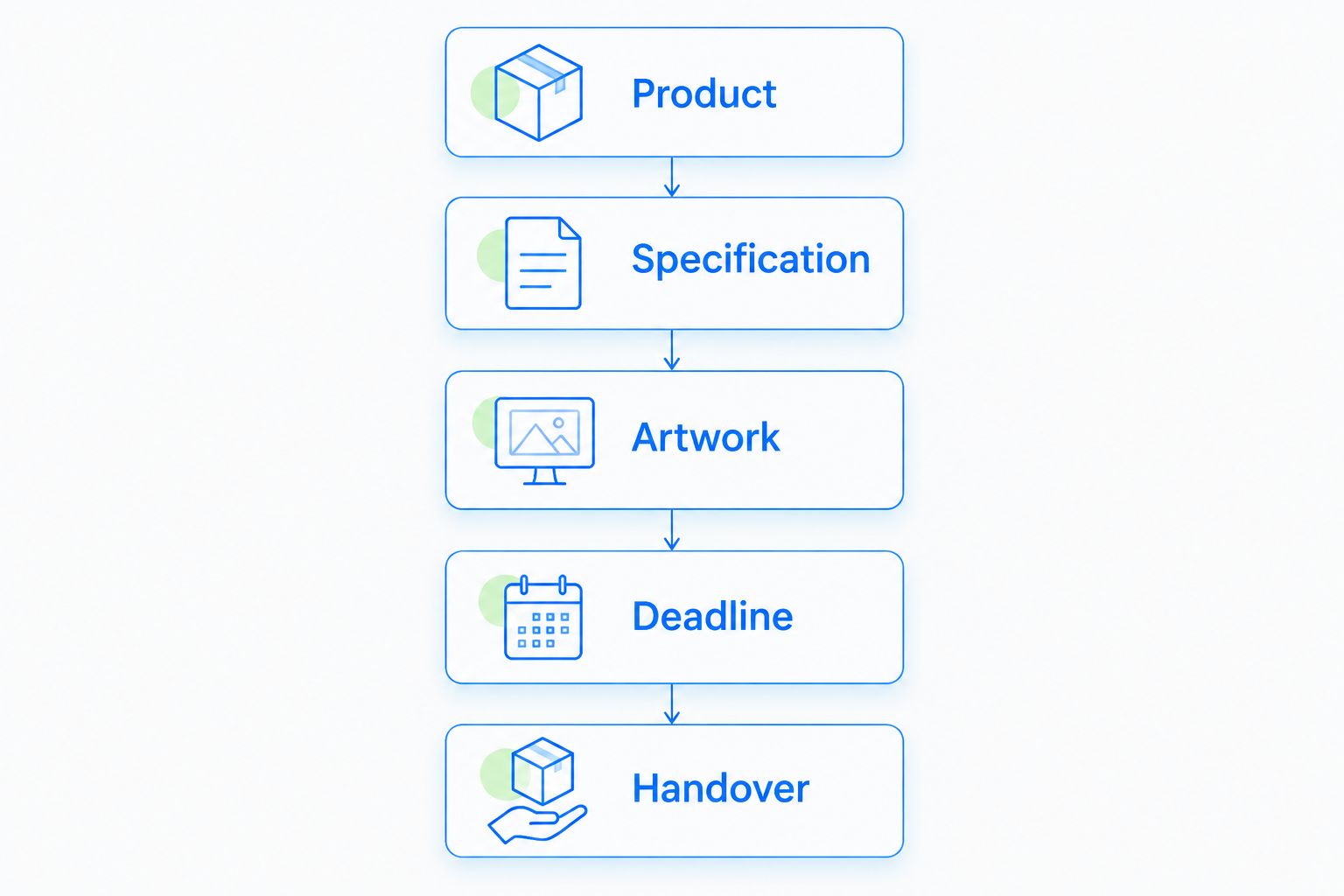
Send the same brief to each shortlisted printer. For a fair 2026 comparison, do not compare a basic card order with a different stock or finish and call the result a supplier difference.
When staying with Canva Print is the right call
Stay with Canva Print when its ordering workflow, product choices and fulfilment details meet your brief. Convenience is a real advantage when the design is ready and you do not need a separate production discussion.
Where Canva Print shines
- It connects print ordering to the Canva design workflow.
- It reduces the need to move between a design platform and a separate ordering process.
- It suits buyers who value keeping those tasks together.
Where Canva Print falls short
- Editor convenience does not answer every material or finishing question.
- A connected workflow does not remove the need to confirm production and delivery details.
- It is not an in-store print-counter experience.
Best for: Businesses whose print requirements fit the integrated design-and-order workflow.
Verdict: Hold when the workflow meets your brief; switch only for a concrete production requirement.
FAQ
What’s the best Canva Print alternative for a Toronto small business?
Print Fast is the best-fit alternative for Toronto small businesses prioritizing rush printing, live support and local delivery. It offers business cards, flyers, banners, signs and other marketing materials; discuss the exact job and deadline before ordering.
Can I keep using Canva to design if I choose another printer?
Yes, you can keep Canva as your design tool and use a separate printer. Ask that printer for its artwork requirements before exporting the final file, including dimensions, bleed and the preferred file format.
Is Vistaprint better than Canva Print for marketing materials?
Vistaprint fits catalogue-based print shopping; Canva Print fits an integrated design-and-order workflow. Choose by your exact product specifications and fulfilment requirements rather than the brand name alone.
Is MOO a good alternative for small-business cards?
MOO belongs on your shortlist when business-card stock and finishes are central to the brief. Compare the card as a physical object, including readability, rather than judging only the screen design.
Should I use Staples Print instead of Canva Print?
Choose Staples Print when an in-store print-counter discussion is important to you. Confirm the location’s arrangements for your product and deadline before visiting.
What should I ask before ordering same-day printing?
Ask when artwork must be approved, when production will finish and when the materials will reach you. Same-day production and same-day receipt are separate requirements, so state your in-hand deadline clearly.
What details belong in a custom printing quote request?
Include the product, quantity, dimensions, material, finish, artwork status and in-hand deadline. Add the delivery destination or collection requirement so the quote addresses the complete job.
One last thing
Changing printers does not require changing your design process. Keep the editor your team understands, then choose the production partner that fits the physical job.
For your next 2026 order, name files by product and version rather than sending several similarly named exports. Confirm which file is approved before production starts. That simple handoff matters more than adding another printer to the shortlist.
Related guides
- Business card printing services in Toronto
- Brochures for small-business marketing
- Roll-up banners for trade shows
- Custom stickers for small-business packaging
Have a fixed deadline? Request a custom quote for your business cards, flyers, banners or signs. Include the artwork status and the time you need the finished materials in hand.
Plan your rush business cards
Review the rush-card guide, then request a custom quote with your artwork status and deadline.

