

PrintFactory combines RIP software, colour management and print-production workflow tools for businesses operating their own printers. Its scope stops short of the service a business needs when it wants finished business cards, flyers or banners without running production itself. The best PrintFactory alternative in 2026 is Print Fast printing services if you need finished materials in Toronto; ONYX if you need a software shortlist for operating your own wide-format printers.
- For printfactory alternatives, separate printing services from RIP software before comparing providers.
- Print Fast suits Toronto businesses needing finished print, local support and rush printing rather than production software.
- Shortlist ONYX, Caldera and Fiery XF when you operate printers and need RIP and colour-management tools.
- Keep PrintFactory when your existing printer workflow meets your requirements; switching is not automatically an improvement.
Why this matters
The phrase printfactory alternatives covers two different buying decisions: replacing production software and outsourcing a print job. A Toronto business ordering rush business cards needs a supplier, not a RIP licence. A print shop managing its own devices needs software that fits its equipment and production process.
That distinction determines your shortlist in 2026. Compare printing services on the finished product, required handover time and support; compare software on device compatibility, colour workflow and operator requirements. Mixing those categories produces a ranking that answers neither question properly.
PrintFactory alternatives at a glance
The options below are grouped by the work you need done, not by an unsupported overall score. PrintFactory stays in the table because an alternative only makes sense against your current workflow.
| Option | Best for | Standout capability | How it differs from PrintFactory |
|---|---|---|---|
| PrintFactory | Print businesses running their own production | RIP, colour management and production workflow | The software baseline for this comparison |
| Print Fast | Toronto/GTA businesses outsourcing finished print | Same Day and Rush printing, Local Delivery and Live Support | A printing service, not replacement RIP software |
| ONYX | Print businesses evaluating wide-format RIP software | RIP and colour-management tools for production | Another software route requiring a device-specific evaluation |
| Caldera | Print businesses evaluating another wide-format production workflow | RIP and colour-management software | A software alternative to assess against your equipment and operators |
| Fiery XF | Print businesses evaluating wide-format printing and proofing workflows | RIP and colour-management tools | Another software candidate rather than an outsourced printing service |
Choose the category before choosing the provider. If you do not operate printers, software compatibility is not your buying problem. If you do operate printers, a rush printing service does not replace the software controlling those devices.
1. Print Fast: best for outsourced rush printing in Toronto
This Toronto-based online print shop supplies business cards, flyers, banners, signs, stickers, calendars and promotional items to Canadian businesses and organizations. Its service offering includes 1-hour, Same Day and 24-hour custom printing, with Local Delivery, Live Support and Custom Quotes. Confirm the production schedule for your particular job rather than treating a turnaround label as a promise for every product.
Best for: Small-business owners, marketing managers and event organizers who need finished print without managing printing equipment.
Where it shines
- Finished products: You order the materials your business needs rather than installing production software.
- Rush options: The stated service includes 1Hr, Same Day, 24Hr and Rush printing.
- Local support: Toronto businesses can discuss the job through Live Support and request Local Delivery.
- Custom Quotes: You can present a specific product, quantity, artwork requirement and deadline for discussion.
Where it falls short
- Not a software replacement: It does not fulfil the role of a RIP application for printers you operate yourself.
- Less direct production control: Outsourcing puts production in a supplier's hands rather than your own equipment workflow.
- Job-specific scheduling matters: Your required material, finishing and handover time still need confirmation.
Head-to-head: printing service versus production software
| Dimension | Print Fast | PrintFactory |
|---|---|---|
| What you obtain | Finished printed materials | Software for managing print production |
| Who runs production | A printing supplier | Your print operation |
| Main buying question | Can the specified job meet the required deadline? | Does the software fit the devices and workflow? |
| Suitable buyer | Business or organization ordering print | Business operating printing equipment |
For a meeting, launch or event in 2026, start with the item you need in your hands and the time you need it there. Send the artwork status, quantity, finished dimensions and delivery destination together. That gives the supplier a defined job instead of an open-ended request for fast printing.
Print Fast printing services are best for Toronto businesses that need finished materials, not RIP software.
Verdict: Buy a printing service when the goal is finished print; skip this option as a RIP replacement.
2. ONYX: best for a wide-format RIP software shortlist
ONYX develops RIP and colour-management software for print production. It belongs on your shortlist when you operate wide-format equipment and want to evaluate another software workflow. The useful comparison is your actual printer and job mix, not a general claim that one brand is better.
Best for: Print businesses comparing software for their own wide-format production equipment.
Where it shines
- Relevant category: ONYX addresses RIP and colour-management needs rather than selling finished print.
- Production-focused evaluation: You can assess it against the devices, media and files your operation uses.
- Clear comparison scope: It lets you compare another software workflow with the one you already run.
Where it falls short
- Not outsourced production: You still need equipment and people to produce the finished job.
- Compatibility remains decisive: A software category match does not establish support for your exact printer configuration.
- Switching requires work: Your operators must assess settings, output and workflow before adopting a replacement.
| Dimension | ONYX | PrintFactory |
|---|---|---|
| Product category | RIP and colour-management software | RIP, colour-management and workflow software |
| Production responsibility | Your print operation | Your print operation |
| Evaluation priority | Exact equipment and representative jobs | Exact equipment and representative jobs |
For a 2026 evaluation, use a file your team already understands. Compare the output, the steps needed to prepare the job and the way operators handle corrections. Keep the media and intended result consistent so the comparison measures the workflow rather than unrelated changes.
Verdict: Hold until ONYX meets your equipment and job requirements.
3. Caldera: best for evaluating another production workflow
Caldera offers RIP and colour-management software for wide-format printing. Consider it when you need a software alternative rather than a local supplier to print an order. Your evaluation should centre on whether the workflow fits the equipment and people already in your operation.
Best for: Print businesses reviewing another RIP workflow for their own production environment.
Where it shines
- Production software: Caldera addresses the same broad buying category as PrintFactory.
- Colour workflow: Colour-management requirements belong in the evaluation, not just file processing.
- Operational comparison: You can assess the software using your own recurring production tasks.
Where it falls short
- No finished-print substitution: Choosing software does not produce an order without a print operation.
- Setup must fit the business: Supported devices and operating requirements need checking before commitment.
- Operator fit matters: A workflow change requires your team to learn and verify the replacement process.
| Dimension | Caldera | PrintFactory |
|---|---|---|
| Product category | RIP and colour-management software | RIP, colour-management and workflow software |
| Buyer | Business operating printers | Business operating printers |
| Decision basis | Equipment, output and operator workflow | Equipment, output and operator workflow |
Do not switch solely because a feature list looks different. Identify the task your current setup cannot handle satisfactorily, then test that task in the alternative.
Verdict: Hold until Caldera solves a defined production requirement.
4. Fiery XF: best for a printing and proofing software shortlist
Fiery XF is RIP and colour-management software used for wide-format printing and proofing workflows. It is a relevant candidate when those workflows are part of your operation. It is not an alternative to ordering business cards or banners from a printing supplier.
Best for: Print businesses assessing software for wide-format output and proofing requirements.
Where it shines
- Relevant software scope: Printing, proofing and colour-management needs can guide your evaluation.
- Output-led comparison: You can use representative files to assess whether the workflow meets your requirements.
Where it falls short
- Equipment still required: The software does not replace a printer or a printing supplier.
- Specific fit needs verification: Device support and the configuration needed for your workflow determine suitability.
| Dimension | Fiery XF | PrintFactory |
|---|---|---|
| Broad role | RIP and colour-management software | RIP, colour-management and workflow software |
| Evaluation focus | Printing and proofing requirements | Your existing production requirements |
| Production owner | Your print operation | Your print operation |
Verdict: Hold until Fiery XF meets a specific printing or proofing requirement.
Why people switch from PrintFactory
A switch needs a concrete requirement, not a generic claim that another product is newer. These are decision criteria, not claims about customer complaints, outages or changes to PrintFactory.
- Different buying need: You need finished materials and do not intend to operate printing equipment. Outsourcing is the relevant alternative.
- Equipment compatibility: Your required device configuration determines which software belongs on the shortlist.
- Workflow fit: You need to assess how operators prepare, process and correct your recurring jobs.
- Output requirements: Your colour-management or proofing needs should drive a practical comparison.
Write down the requirement before contacting a provider. For example, distinguish needing printed banners for an event from needing software to run the printer that produces banners. The product name alone does not explain the problem.
How to choose the right alternative in 2026
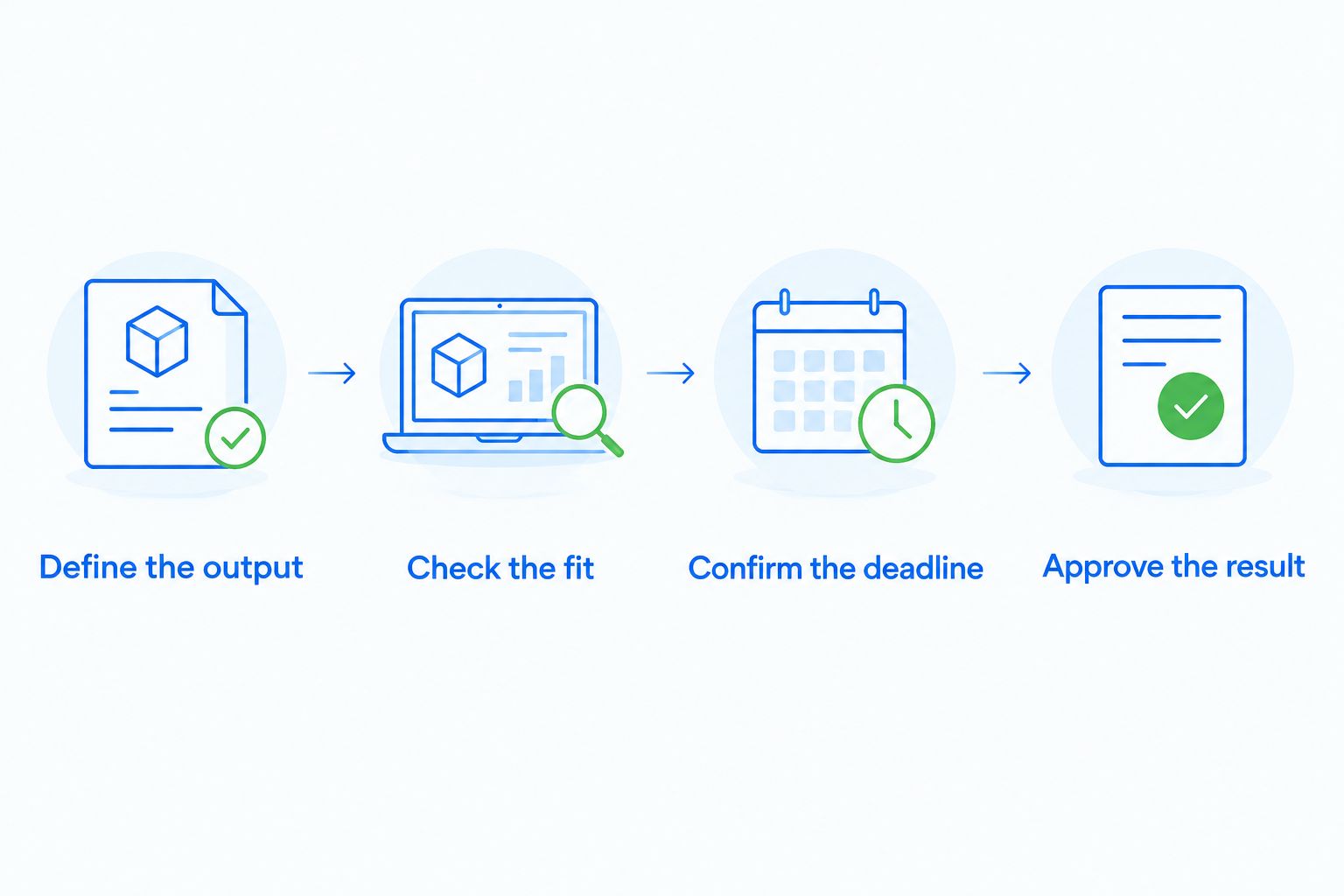
Use this sequence to avoid comparing options that do different work.
Define the output
Name the finished product or production task. For outsourced printing, specify business cards, flyers, signs, banners or stickers. For software, identify the device and the recurring job you need to process.
Check the fit
For a printing service, discuss dimensions, quantity, material and finishing. For software, verify the exact device configuration and operating requirements. Do not assume support from the broad product category.
Confirm the deadline
Separate 2 deadlines: production completion and the moment the materials must reach you. For software, define the transition date and the jobs that must remain manageable during the change.
Approve the result
Agree on the artwork or output requirements before proceeding. A printing order needs clear approval; a software change needs representative output and an operator workflow your team has checked.
When staying with PrintFactory is the right call
Stay with PrintFactory when it meets your equipment, output and workflow requirements. An alternative is not automatically an improvement, and moving between software products creates a new setup and verification task.
In 2026, judge a replacement against a requirement you can describe and check. If your only new need is an outsourced rush order, assess that order separately. You do not need to replace production software to buy finished print from a supplier.
FAQ
What’s the best PrintFactory alternative in 2026?
The best alternative depends on whether you need production software or finished printing. Shortlist ONYX, Caldera and Fiery XF for RIP software; choose a printing supplier when you want completed materials.
Is Print Fast a direct replacement for PrintFactory?
No. Print Fast is a Toronto-based printing service, while PrintFactory is production software for businesses operating printers. Compare them only as different ways to meet a printing need.
Is ONYX better than PrintFactory?
ONYX is not automatically better than PrintFactory. Compare support for your exact equipment, representative output and the workflow your operators need before choosing.
Should I compare Caldera with PrintFactory?
Yes, if you operate printers and are evaluating RIP and colour-management software. Check your equipment and recurring production tasks rather than choosing from a general ranking.
Is Fiery XF an alternative for wide-format printing?
Yes, Fiery XF belongs on a software shortlist for wide-format printing and proofing workflows. Verify the configuration needed for your devices and intended output.
Do I need RIP software to order business cards or flyers?
No, you do not need to operate RIP software when ordering finished printing from a supplier. Provide the product specification, artwork, quantity and required handover time.
Does Same Day printing mean same-day delivery?
Production completion and delivery are separate milestones. Confirm both the completion time and the time the finished materials will reach you before approving a rush order.
One last thing
A fast production deadline is not the same as a ready-to-use deadline. Your materials still need to reach the meeting, storefront or event where you will use them. Put that final destination and handover time in the request, not just the word Rush.
Related guides
- Business card printing services in Toronto
- The UPS Store alternatives for same-day business cards
- Trade show display printing: banners versus backdrops
Request a custom quote for your business cards, flyers, signs or banners. Include the quantity, artwork status, required handover time and delivery destination.

