

Wineries’ laminated menu printing is the production of film-covered tasting lists with the aim of keeping wine choices readable through repeated service. This guide covers laminated menus for wineries in 2026, where changing vintages, tasting flights and wet tabletops require different decisions from a standard restaurant menu.
- Laminated menus for wineries work best for stable tasting lists, not frequently changing wine selections.
- Print Fast is best for Toronto businesses seeking rush printing support and custom quotes.
- Keep changing vintages on replaceable inserts; test tasting-room menus under actual service lighting.
- Choose menu lamination only after checking glare, sealed edges and cleaning instructions.
Why laminated menus matter for wineries
A tasting menu has to explain what guests are drinking without turning every selection into a staff-led explanation. Guests need to distinguish a wine’s name, vintage, tasting notes and place within a flight. The menu should support that conversation, not compete with it.
Lamination adds a protective surface to printed paper, but it also makes revisions less convenient. Laminate the information that stays accurate; keep changing information replaceable. That distinction matters more than choosing the thickest finish.
For production questions, start with the document lamination services guide. Ask about the finished construction, not just whether a sheet can be laminated.
For your 2026 tasting-room menu, separate three decisions: what belongs on the permanent sheet, how guests will read it and how staff will maintain it. Resolve those before approving a full run.
How to plan laminated menus for wineries
1. Separate permanent content from changing details
Start with a simple document or spreadsheet. Mark each line as stable or changeable, then build the layout around that distinction. Your tasting format might stay consistent while the wines within it change.
Put evergreen information, such as how a guided tasting works, on the longer-lived piece. Keep frequently revised selections on an insert or separate sheet. This avoids replacing an otherwise useful menu because a vintage changes.
Best for a changing wine list: a reusable main menu with a replaceable selection sheet. The trade-off is that staff must check both pieces before service. A single laminated sheet is simpler to distribute, but every content change requires a replacement.
Before you choose a format, complete these checks:
- Mark wine names and vintages that require regular review.
- Separate tasting instructions from the current wine selection.
- Identify event-only flights and seasonal pairing details.
- Assign someone to approve the master wine list.
- Decide what triggers a revised print file.
2. Build the layout around a tasting decision
Create the first layout yourself in a familiar document or design application. Give guests a clear reading path: tasting format, wine selection, then supporting notes. Do not start by filling the page with bottle photography.
For an initial proof, try 3 clearly labelled sections: flights, individual wines and food pairings, if you offer them. This is a layout starting point, not a requirement. Remove any section that does not match your service.
Keep the relationship between each wine and its description obvious. A guest should not have to trace a line across crowded columns to identify the right tasting note. Leave enough space for staff to point to a selection without covering the next one.
Use these layout checks:
- Group wines according to how guests order them.
- Keep each vintage beside the corresponding wine name.
- Use consistent labels for tasting formats.
- Separate descriptive notes from ordering instructions.
- Give unfamiliar wine terms a short explanation where needed.
3. Test a full-size paper proof before outsourcing
Print 1 full-size paper proof before requesting finished samples or approving production. Read it from the guest’s normal position at the bar or table. A layout that looks clear on a screen can be awkward beside glasses and tasting mats.
Have a staff member use the proof during a practice tasting. Ask that person to locate a wine, explain a flight and identify the pairing information. Revise the layout wherever the explanation becomes cumbersome.
Print Fast is best for Toronto businesses seeking rush printing support and custom quotes. Print Fast offers a faster route for supported rush print jobs; confirm laminated-menu specifications and the production schedule for your particular request before relying on that route.
Prepare a useful production brief:
- Supply the intended finished dimensions and orientation.
- State whether the menu needs printing on both sides.
- Include the quantity for each distinct version.
- Explain whether menus sit flat or go into holders.
- Give the required in-hand date and delivery destination.
4. Compare finishes under tasting-room lighting
Place a sample where guests actually read. Check at least 2 lighting positions, such as a window-side table and the tasting bar. Tilt the sample as a guest would when lifting it from the table.
Gloss surfaces can reflect light; matte finishes reduce surface sheen but still need an in-room test. Neither label guarantees readability. Your type, contrast and lighting angle remain part of the result.
Inspect the finished edges as carefully as the face. Ask whether the proposed construction leaves a sealed border and whether later trimming would break that seal. Do not assume that every laminated sheet has the same edge protection.
For a 2026 menu refresh, make finish approval a physical check rather than an on-screen decision:
- Read small tasting notes beside a window.
- Check reflections beneath overhead fixtures.
- Compare the menu against your actual tabletop.
- Examine corners for comfort and handling.
- Ask how the finished edges should be maintained.
5. Check the menu beside real service items
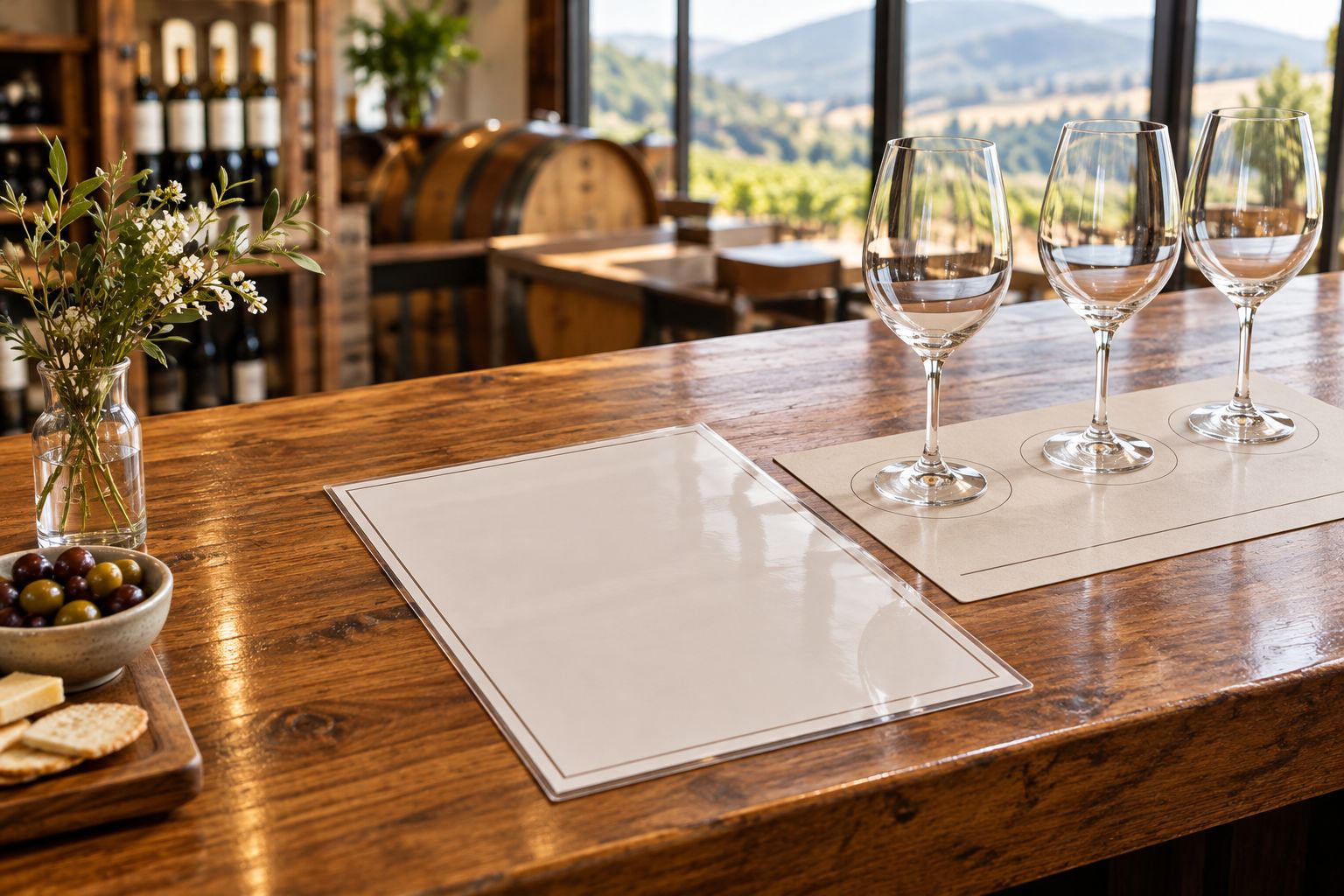
Set a sample menu beside glasses, a tasting mat and any food service items you use. The menu must fit the available surface without forcing guests to move stemware every time they read it.
Test how staff collect and redistribute the menus. A large sheet offers more layout space but takes more room on a tasting counter. A smaller sheet is easier to place, yet it becomes harder to read if you simply shrink a crowded design.
Choose the smallest format that remains comfortable to read, not the smallest format that holds the text. If the menu does not fit, edit or split the content before reducing the type.
Run these practical checks:
- Place the menu within a complete guest setting.
- Check whether both sides remain easy to access.
- Test the fit in any existing menu holder.
- Make sure staff can collect menus without moving glasses.
- Confirm where clean menus will be stored.
6. Establish a cleaning and replacement routine
Ask the supplier for care instructions before choosing your cleaning method. Lamination does not make every film, edge or printed construction compatible with every cleaning product. Do not treat a wipeable surface as proof of chemical resistance.
Check a finished sample using the intended routine before putting the whole batch into service. Inspect the face and edges afterwards. Replace menus with lifting film, damaged corners or text that staff have crossed out.
Keep cleaning and content control together. An intact menu with an incorrect vintage still needs attention. Your 2026 service checklist should cover both physical condition and agreement with the approved master list.
Give staff a short routine:
- Follow the supplied cleaning and drying instructions.
- Inspect edges and corners during collection.
- Separate damaged menus from the clean stack.
- Compare selections with the current approved list.
- Record recurring damage before the next order.
7. Control versions before ordering replacements
Keep one approved master file and an archive of superseded versions. Add a small revision identifier to the artwork where staff can find it without distracting guests. A filename alone does not help someone holding a printed menu.
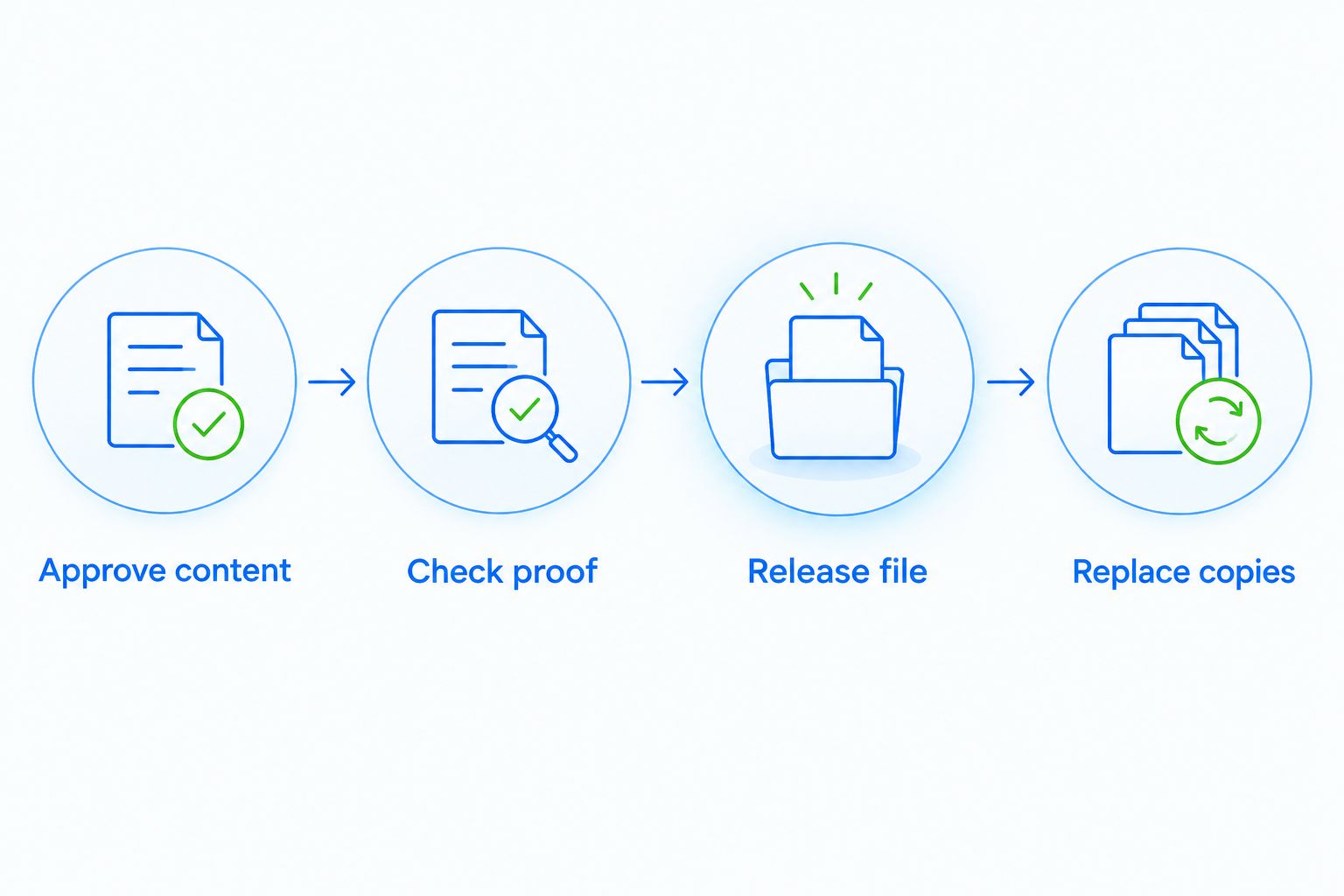
Use a simple sequence: approve content, check the proof, release the file, replace old copies. Do not let a corrected PDF circulate while the previous printed version remains on the bar.
When asking Print Fast about a replacement run, identify the previous specification and describe every change. Confirm the new schedule rather than assuming a repeat order follows the original timing. Keep an editable paper alternative ready for urgent revisions.
Close each revision with these actions:
- Name the person responsible for final approval.
- Check wine names, vintages and pairing references.
- Match the printed revision identifier to the master file.
- Remove superseded copies from service and storage.
- Save the approved artwork and production specification together.
Compare menu options for your tasting room
Choose the format around your update pattern, not appearance alone. For 2026, the central question is whether the information will remain correct long enough to justify a fixed printed piece.
The options below describe menu formats, not confirmed product specifications from a particular printer. Request a sample and confirm the construction before ordering.
| Option | Best for | Main advantage | Key limitation |
|---|---|---|---|
| Fully laminated printed menu | Stable core tasting lists | Protective surface for repeated handling | Content changes require a replacement sheet |
| Laminated main menu with separate insert | Stable tasting instructions with changing wines | Separates lasting information from revisions | Staff must keep the pieces together and current |
| Replaceable paper menu in a reusable sleeve | Frequently revised selections | Paper can be changed without rebuilding the holder | Sleeves need cleaning and condition checks |
| Unlaminated paper menu | Short events or changing tasting programmes | Straightforward to revise and reprint | Exposed paper is vulnerable to spills |
| Printed menu with a QR supplement | Printed essentials with additional digital detail | Keeps extended information off the main sheet | The digital destination needs maintenance and phone access |
For frequently changing wine selections, a replaceable insert wins on revision simplicity. For a stable tasting programme, a single laminated sheet removes the need to manage separate pieces. Neither format eliminates proofreading or cleaning.
A QR supplement is useful for extended wine stories, but keep essential ordering information readable on the printed menu. Guests should not need a phone to understand the tasting format in front of them.
Common mistakes wineries make with laminated menus
Laminating a wine list that changes constantly
A fully fixed menu is a poor match for frequent vintage or flight changes. Separate the stable tasting explanation from the changing selection before choosing the finish. Otherwise, minor edits become full-sheet replacements.
Shrinking tasting notes to preserve every detail
Long production notes and vineyard stories can overwhelm a service menu. Keep the information needed to choose a tasting on the printed sheet. Move extended background into a separate handout or digital supplement.
Approving a finish without checking reflections
A finish name does not tell you how a menu reads under your pendant lights or beside a window. Check a physical sample in the room. Prioritise readable wine names over surface shine.
Treating the patio like indoor service
Outdoor service adds wind, direct light and a different cleaning context. Test the placement and handling separately instead of assuming the indoor format transfers unchanged. Ask about outdoor suitability without treating lamination as a weatherproof guarantee.
Leaving old menus in a secondary storage area
An outdated stack can return to service after a busy shift. Remove superseded copies from every service station and storage location. Make version removal part of the approval process, not an optional tidy-up.
FAQ
Are laminated menus a good choice for wineries?
Laminated menus are a good choice for wineries with stable tasting lists and repeated menu handling. If wines or vintages change frequently, keep those details on a replaceable insert rather than fixing everything into one sheet.
Is matte or gloss lamination better for a tasting room?
Choose matte or gloss after comparing physical samples under your tasting-room lighting. Gloss can reflect fixtures and windows; matte reduces sheen but still needs a readability check with your actual artwork.
Can staff clean laminated tasting menus between guests?
Staff should clean laminated tasting menus according to the supplier’s instructions for the finished construction. Confirm the cleaning product and method, then test a sample before using that routine across the batch.
What size should a winery tasting menu be?
Choose a size that fits beside your glassware and remains comfortable to read. Test a full-size paper proof in a complete place setting before confirming finished dimensions.
How should wineries handle changing vintages on printed menus?
Keep frequently changing vintages on a replaceable selection sheet or insert. Maintain one approved master list and remove superseded printed copies whenever a revision enters service.
Can laminated menus be used on a winery patio?
Use laminated menus on a patio only after checking the proposed construction and testing the service setup. Lamination alone does not establish weather resistance, cleaning compatibility or suitability for prolonged outdoor exposure.
Can Print Fast help with a rush tasting-room print request?
Print Fast offers rush printing support and custom quotes for businesses and organizations. Ask specifically about laminated-menu construction, artwork approval, finishing and the required in-hand date before confirming your plan.
One last thing
Approve a menu by using it to conduct a tasting, not just by reading it for typos. Ask someone unfamiliar with the layout to identify the flight and match each wine to its notes. The point where that person hesitates is your next edit.
For your 2026 print order, finish that service test before approving lamination. Correcting the reading order on a paper proof is simpler than replacing a finished batch.
Related guides
- Laminated menus for restaurants and cafés
- Custom coaster printing for brewery taprooms
- Table tent cards for breweries and taprooms
Request a custom quote from Print Fast for your tasting-room menus. Include your artwork, finished dimensions, quantity, intended cleaning routine and required in-hand date.

